From Business Card Scans to Follow-Up: A Practical Lead Management Workflow for Event Teams

The exhibition closes, the stand comes down, and the team heads home with dozens of promising conversations behind them. Someone has business cards in a jacket pocket. Another colleague has badge photographs scattered through their phone.
By Monday morning, the details are already becoming difficult to reconstruct. Which visitor wanted a demonstration? Who requested pricing, and who was simply exploring the market?
This is where event lead management needs a clear process. Collecting contact information gives the team a starting point. Turning those details into useful follow-up requires accurate records, conversation context and clear responsibility.
A practical workflow connects each stage, from sharing your professional details to continuing the discussion afterwards. It also gives employees a consistent approach when visitors provide information in different formats.
Begin With the Follow-Up You Want to Deliver
Before selecting scanning tools, decide what should happen after a useful conversation. A visitor requesting technical information needs a different response from someone arranging a product demonstration. Your capture process should preserve those differences.
Agree on the minimum information required for each contact. Usually, that includes their name, company, contact method and reason for speaking with your team. Record any promised action and identify the colleague responsible.
A simple event record might include:
- Contact name and company
- Verified email address or telephone number
- Event name and conversation date
- Main interest or business challenge
- Requested information
- Agreed next step
- Follow-up owner
Avoid collecting fields simply because a form allows them. Extra questions can interrupt the conversation without improving the eventual response. Each field should help the team understand or continue the relationship.
Prepare the Team’s Sharing Tools Before Arrival
Lead management involves outgoing information as well as incoming details. Visitors need an easy way to identify your business and reconnect afterwards. Staff should therefore check their professional profiles before the event.
Confirm names, roles, contact details and relevant business links. Test QR codes and remove outdated documents. Make sure visitors can reach the resources employees expect to discuss.
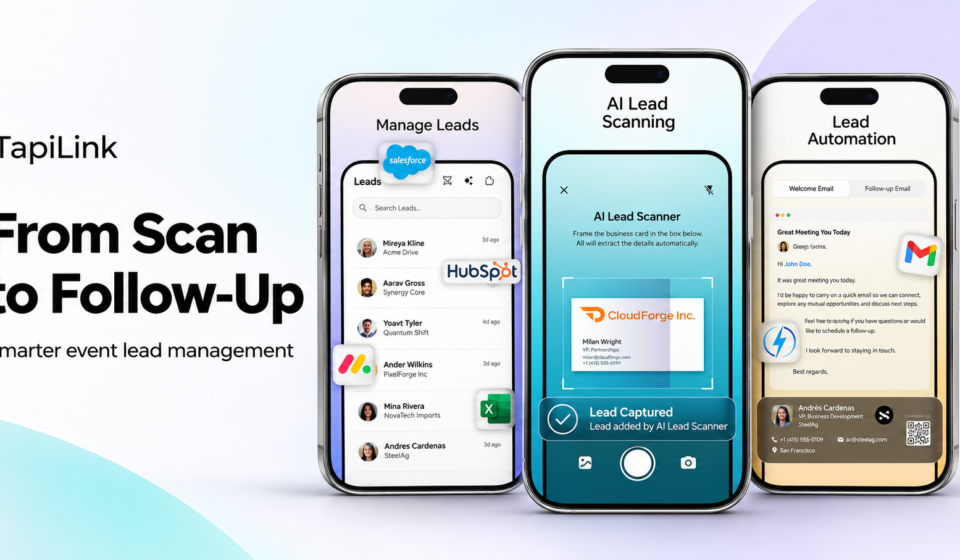
A digital business card app can support profile sharing alongside contact capture. TapiLink’s Android listing describes digital cards, AI scanning, lead organisation and CRM export. These capabilities can support several stages within one platform.
Teams using physical sharing accessories should test them under realistic conditions. For example, NFC products provide another route to a linked profile on compatible phones. Keep a QR code or direct link available as an alternative.
Follow One Visitor Through the Process
Consider a hypothetical equipment supplier attending a two-day trade exhibition. Three employees are demonstrating products and answering questions throughout the event. Each person meets visitors with different needs and purchasing timelines.
One visitor, Daniel, manages operations for a growing manufacturer. He wants to replace an ageing machine and needs specifications before discussing options internally. He gives an employee his business card and requests a technical comparison.
The employee now has two responsibilities. First, capture Daniel’s contact details accurately. Second, preserve the reason for the conversation and the specific information promised.
A photograph alone addresses neither task completely. It stores an image, but someone must still interpret it and reconnect it with the discussion. A structured capture process makes that handover more manageable.
Capture the Available Details Without Interrupting the Conversation
Ask before scanning the visitor’s card or recording their information. Explain that you want to send the material discussed. Keep the action brief so the visitor remains part of the conversation.
Position the card clearly and check lighting before capturing it. If information appears on both sides, review both. If the source is incomplete, ask for the missing detail rather than guessing.
TapiLink’s AI lead capture page describes scanning business cards, badges and screens into structured leads. This provides a way to turn visible contact information into a record. Staff should still check what the scanner extracts.
A badge may contain only a name and company. An on-screen profile might omit an email address entirely. Neither source should be treated as a complete contact record automatically.
Verify the Record Before Moving On
AI extraction can reduce transcription work, but the result still needs review. Unusual layouts, small lettering and poor image quality can introduce errors. A short accuracy check can prevent an avoidable follow-up failure.
Compare the extracted name, company and email address with the original. Check telephone prefixes and characters that look similar. Where several addresses appear, confirm which one the visitor prefers.
For Daniel, the employee notices that the card lists a general office number. Daniel explains that email is better for receiving technical documents. That preference becomes part of the record.
This check also prevents false confidence. A neatly formatted entry can still contain incorrect information. Appearance alone does not establish accuracy.
Add the Context a Scanner Cannot Know
Contact fields describe who someone is. Conversation notes explain why the team should contact them. Both are needed for a useful response.
Write a brief summary while the discussion remains fresh. Record the visitor’s stated interest, relevant constraints and agreed action. Use factual language that another colleague can understand.
Daniel’s note could read:
Reviewing replacement equipment for the main production line. Requested a comparison of Models A and B. Send specifications Thursday; Daniel will discuss them with his engineering manager.
That note gives the next employee a clear starting point. It avoids repeating questions Daniel already answered. It also distinguishes his request from a general enquiry about the product range.
Keep observations separate from assumptions. “Requested pricing” is a recorded action. “Ready to buy immediately” requires evidence that the visitor actually provided.
Review Contacts During the Event
Do not leave every correction until the exhibition finishes. Brief reviews during quieter periods can identify incomplete records while employees still remember the conversations. They also help the team spot overlapping discussions.
Check for missing contact details, unclear notes and unassigned actions. If two colleagues met the same visitor, compare the records. Preserve useful information while avoiding competing follow-up messages.
Keep review categories simple and actionable. A contact may need a quotation, technical information, an introduction or no immediate action. These categories should guide work rather than merely decorate a dashboard.
The review process can sit within your existing CRM or another approved system. It does not require every capability to exist inside the scanning application. What matters is that the handover remains clear.
Assign Responsibility Before Exporting to a CRM
Exporting contacts does not establish who will respond. Without ownership, several employees may assume someone else has handled the request. Alternatively, multiple people may contact the same visitor.
Assign one person to each agreed follow-up. Identify any supporting colleague and set a realistic due date. Make those responsibilities visible wherever the team manages its work.
For Daniel, the account manager owns the response. A technical specialist supplies the comparison document. The account manager checks that the material answers the original request before sending it.
Before moving records into a CRM, test the available export or connection method. Confirm field mapping and how duplicate records are handled. Do not assume every CRM supports an identical transfer process.
Turn the Notes Into a Relevant Message
A useful follow-up should feel connected to the stand conversation. Mention where you met and the subject discussed. Include the promised resource before introducing additional requests.
Daniel’s message might begin:
Hello Daniel, thank you for visiting our stand. We discussed replacing your production-line equipment. Attached is the Model A and B comparison you requested for your engineering manager.
The remaining message can explain a relevant next step. Offer a technical call if that would help their review. Avoid pushing for a decision that Daniel never agreed to make.
A digital profile can also provide a convenient contact reference. The TapiLink app offers an iOS destination for teams evaluating that platform. Device availability should be checked during preparation, before staff depend on a particular tool.
Measure Progress Beyond the Number of Scans
A busy stand can generate many scans without producing useful conversations. Equally, a smaller contact list may contain several well-defined opportunities. Review the quality of the process alongside its volume.
Useful measures include:
- Records with verified contact details
- Contacts with a documented next action
- Promised resources delivered on time
- Follow-up messages receiving relevant replies
- Meetings or demonstrations arranged
- Opportunities progressing within the CRM
Define each measure consistently before comparing events. A profile view, for example, is different from a requested demonstration. Combining them into one total makes performance harder to interpret.
Review the workflow with employees after the event. Ask where information was lost or duplicated. Use those observations to simplify preparation for the next exhibition.
An Event Lead Management Checklist
A repeatable checklist helps the process survive a busy exhibition schedule. Keep it short enough for employees to use between conversations. Adjust it when experience reveals unnecessary steps.
Before the event
- Update staff profiles and business resources.
- Test sharing methods and scanning tools.
- Agree on essential contact fields.
- Prepare the CRM handover process.
- Define follow-up responsibilities.
During the event
- Explain why you are collecting details.
- Capture and verify available information.
- Record the conversation and promised action.
- Review incomplete or duplicate entries.
- Assign responsibility for urgent requests.
After the event
- Check records before transfer.
- Send the information visitors requested.
- Track agreed next steps.
- Review outcomes and process gaps.
- Update the checklist for future events.
Build a Process That Continues the Conversation
Digital business cards help professionals share a clear route back to their business. Scanning tools help capture incoming contact information. A consistent team process connects those actions with useful follow-up.
The practical sequence is straightforward: prepare, capture, verify, add context, assign responsibility and respond. Each step preserves something the next person needs. Skipping one can leave an apparently complete contact record difficult to use.
The goal is to make every worthwhile conversation easier to continue. Give employees clear responsibilities and visitors a response that reflects what they discussed. That is how an event contact becomes the beginning of a professional relationship.