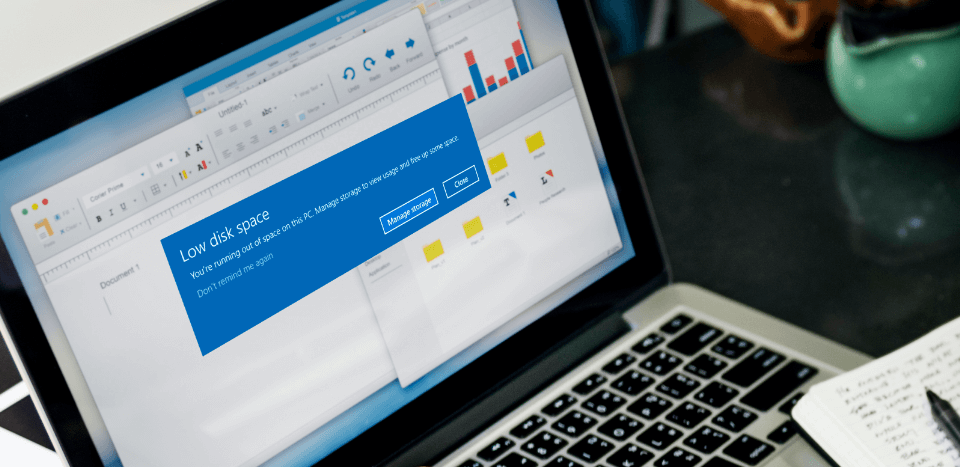

A Windows computer can become harder to manage as more applications, files, and temporary data accumulate over time. Programs that are no longer needed may continue taking up storage, while cached files and other unnecessary data can add to system clutter. Regular maintenance can help users keep their computers organized and easier to manage. Tools such as a PC cleaner, an uninstall tool, and software from IObit can make these routine tasks more convenient.
Why Regular PC Cleaning Matters
Everyday computer activity generates different types of temporary data. Browsing the internet, installing applications, downloading files, and running software can all create files that may no longer be needed later.
When unnecessary data accumulates, it can consume storage and make it more difficult to understand what is actually taking up space. A PC cleaner can help by scanning common locations for temporary files, cached data, logs, and other items that may be suitable for removal.
Instead of manually searching through multiple folders, users can review potential cleanup items from a centralized interface. This can make regular maintenance easier, especially for people who are not familiar with Windows system folders.
However, cleaning should always be performed carefully. Users should review scan results before removing anything and avoid deleting files that are important for applications or the operating system.
The Role of an Uninstall Tool
Installing software is easy, but removing applications completely can sometimes be more complicated. Windows provides its own uninstall options, yet some applications may leave behind folders, settings, or other components after they are removed.
An uninstall tool provides additional options for managing installed applications. It can help users identify programs they no longer need and remove them from the computer through a dedicated interface.
This can be particularly useful for computers that have accumulated a large number of applications over several years. Removing old programs can free up storage and make it easier to manage the remaining software.
Some uninstall tools can also scan for leftover components after an application has been removed. This can help users keep their systems more organized instead of manually searching for files associated with previously installed programs.
How IObit Helps with PC Maintenance
IObit develops a range of Windows utilities that support different aspects of PC maintenance. Its software includes solutions for cleaning, application management, driver updates, and system optimization.
For users who prefer dedicated tools instead of managing every maintenance task manually, IObit software can provide a more convenient approach. Depending on the product, users can perform different maintenance tasks from an organized interface.
For example, Advanced SystemCare can be used as a PC cleaner to help identify unnecessary files and system clutter. IObit Uninstaller can serve as an uninstall tool for managing unwanted applications.
Using dedicated tools does not mean every available option should be enabled automatically. Users should understand what a particular feature does and review recommendations before making significant system changes.
Using a PC Cleaner and Uninstall Tool Together
A PC cleaner and an uninstall tool perform different functions, but they can complement each other as part of a regular maintenance routine.
A user can start by reviewing installed applications and removing software that is no longer required. After that, a PC cleaner can scan for temporary files and other unnecessary data that may have accumulated during normal usage.
This approach can make maintenance more systematic. Instead of waiting until storage becomes nearly full or the installed-program list becomes difficult to manage, users can periodically review their systems.
Regular maintenance can also help users identify software they no longer recognize. Removing unnecessary applications reduces clutter and can make it easier to understand which programs are actively being used.
Good Habits for a Cleaner PC
Software tools are only one part of effective PC maintenance. Users can also develop simple habits that reduce unnecessary clutter.
Reviewing installed applications every few months, deleting files that are no longer needed, keeping important software updated, and monitoring available storage can all contribute to better organization.
It is also useful to maintain backups of important documents before performing major cleanup tasks. Users should never assume that every file identified by an automated tool is safe to delete.
A careful approach combines automated tools with human review. This provides the convenience of software-assisted maintenance without giving up control over important system files.
A Practical Approach to PC Care
Keeping a computer organized does not have to be complicated. A PC cleaner can simplify the process of identifying unnecessary data, while an uninstall tool can make it easier to remove applications that are no longer needed.
With IObit utilities such as Advanced SystemCare and IObit Uninstaller, users can approach these tasks through dedicated maintenance tools. Used responsibly, they can help reduce clutter, manage applications, and make routine PC care more convenient.
By combining these tools with regular software reviews, sensible storage management, and careful cleanup practices, users can maintain a more organized Windows computer and make everyday system management easier.